
Dungeon Picnic tools
Specs, party kits, and Steam wishlist steps for the limited demo.
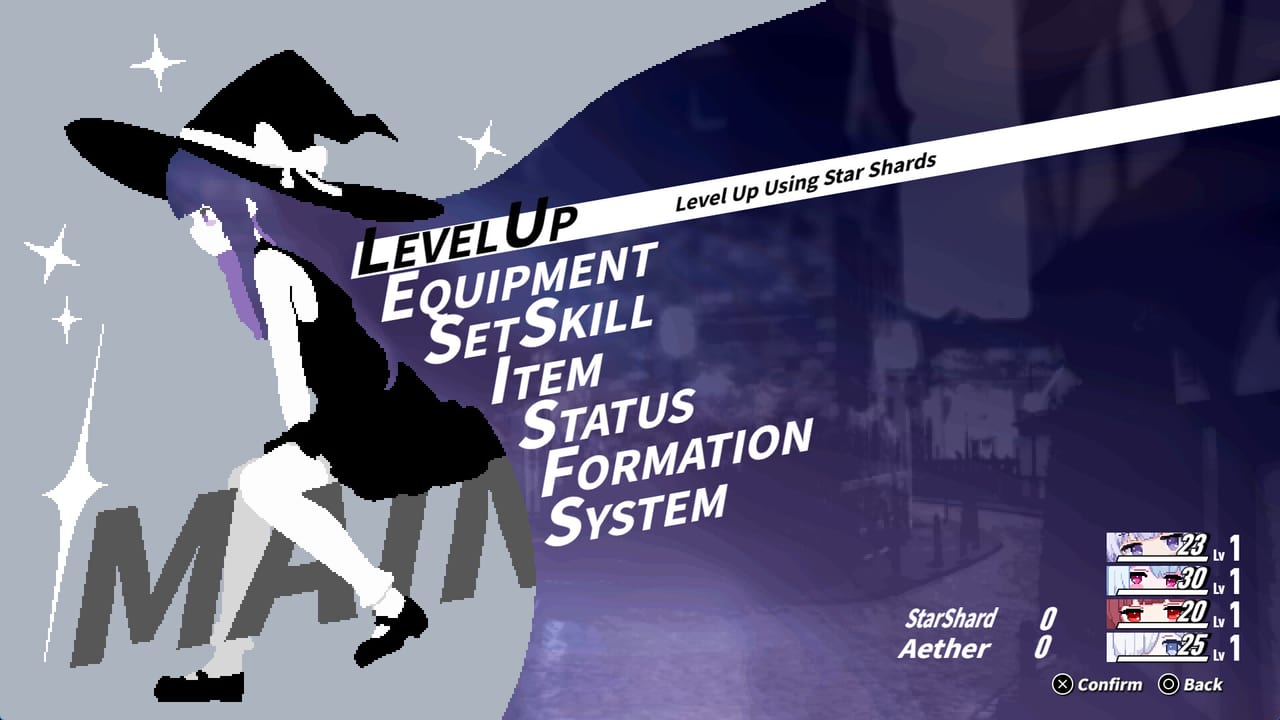
Dungeon Picnic is still a to-be-announced single-player release from Lapismine. The limited demo that started on 6 September 2026 covers the first area, four heroines, and no save transfer into the product build. This Tools Hub is the short stack of tables you open before a run: Windows minimums, a four-slot party sketch, and the Steam wishlist plus demo download path.
These pages are markdown references, not live calculators. They exist so you can confirm a PC, name four demo characters, and click the store without rereading the whole getting started guide. For a first-area route use the demo guide. For Break timing use the combat guide. Come back here when you need a spec, a kit table, or a store action.
What lives under Tools
Three pages sit under this hub. Each one answers a different question and then points you back into guides, characters, and news.
| Tool | Open it when | Then read |
|---|---|---|
| System requirements | You need Windows 11, RAM, GPU, and input notes before a download | Steam app 3736800 and demo 5207170 |
| Party planner | You want demo kits, incomplete later characters, and ReAct synergy ideas | character roster and early ranking |
| Wishlist | You need store, demo, Next Fest, and social follow steps | demo launch notes and Steam Next Fest |
Official URLs also live on the links hub. If a number here disagrees with Steam or with Lapismine’s X account, trust the official post. This wiki is unofficial.
Facts every tool page assumes
Lapismine develops and publishes Dungeon Picnic as a party-building roguelike RPG on Steam for Windows. You pick four pixel-art heroines. The party shares one mana pool (MN). Hitting a weakness to Break an enemy grants a ReAct extra turn. Star Shards and Aether show up as run resources. The first Star Fragment artifact adds 25 percent SPD and lets that holder act first at battle start.
The demo roster is Astrologia, Apothecary, Kannagi, and Aries Knight. Harvester and Samurai have been shown in development posts but are not part of the four-character demo kit. Treat later kits as incomplete until Lapismine publishes them.
Steam lists English, Japanese, and Simplified Chinese for the game client. This wiki is written in English and Japanese. Steam Deck compatibility is unknown. No Mac or Linux minimums appear on the store page. Gamepad is recommended; keyboard-only play is listed; the game is playable without timed input.
How to use the hub in one sitting
- Confirm the PC on system requirements. Check Windows 11, 8 GB RAM, OpenGL with 1 GB VRAM, and 1 GB of storage. Partial controller support and mouse wheel support are listed; custom volume and stereo sound are listed; Family Sharing is listed on Steam.
- Open the party planner and lock four demo names before you spend Star Shards. Shared MN means one greedy opener can starve the other three members.
- Follow the wishlist steps so Steam can notify you for the product build and for Steam Next Fest from 19 October 2026. Download the limited demo from the same store page. Demo progress does not carry over.
- Only then jump into getting started and the demo guide. If a fight feels unfair, check ReAct rules in the combat guide before you blame the PC.
What these tools will not do
They will not simulate damage. They will not import a save. They will not invent a release day. They will not invent Mac ports, Linux builds, or a Steam Deck Verified badge. Incomplete kits stay labeled incomplete. There is no party-size slider and no second-player slot: you command four heroines inside one single-player run.
If you came here looking for a spreadsheet app, stop. The party planner is a set of markdown tables. Fill a paper note or a text file with your four names, MN spend order, and which Star Fragment you grabbed. That is enough for a first-area demo.
Related reading after the tables
Pair this hub with the character roster when you need portraits and roles, and with the early ranking when you want a cautious first-area order. Calendar items live on demo launch notes and Steam Next Fest. Bug reports belong on Steam discussions, linked from wishlist and the links hub.
When you finish a demo loop, return to the party planner and mark which Break targets wasted MN. That note is more useful than copying a supposed meta team, because the first area is short and the later roster is still hidden.
Before a session, pin three tabs: the requirements table for your laptop GPU, the four demo names, and the wishlist page so Next Fest mail stays on. After a wipe, do not hunt a hidden second-player toggle. If Lapismine posts a new Harvester or Samurai kit, wait until the party planner marks those rows complete. Until then this hub is a checklist for a TBA Windows picnic, not a damage calculator.
Frequently Asked Questions
Quick answers for demo runs, ReAct combat, and party building.
Are these tools a live app?
No. They are markdown tables and checklists. Use the party planner for kit notes and the system requirements page for Steam minimums.
Does the full game have a date yet?
No. Steam still lists Dungeon Picnic as to be announced. The limited demo started on 6 September 2026. Track dates on demo launch notes and Steam Next Fest.
Can I play with a friend?
No. Steam lists the game as single-player. Party building happens inside one run. Start with getting started if you expected a second seat.
Which four characters are in the demo?
Astrologia, Apothecary, Kannagi, and Aries Knight. Harvester and Samurai are shown elsewhere and stay incomplete on the party planner. See also the character roster.
Where should I go after this hub?
Confirm the PC, sketch a party, wishlist the app, then read the demo guide and the combat guide. Official URLs sit on the links hub.